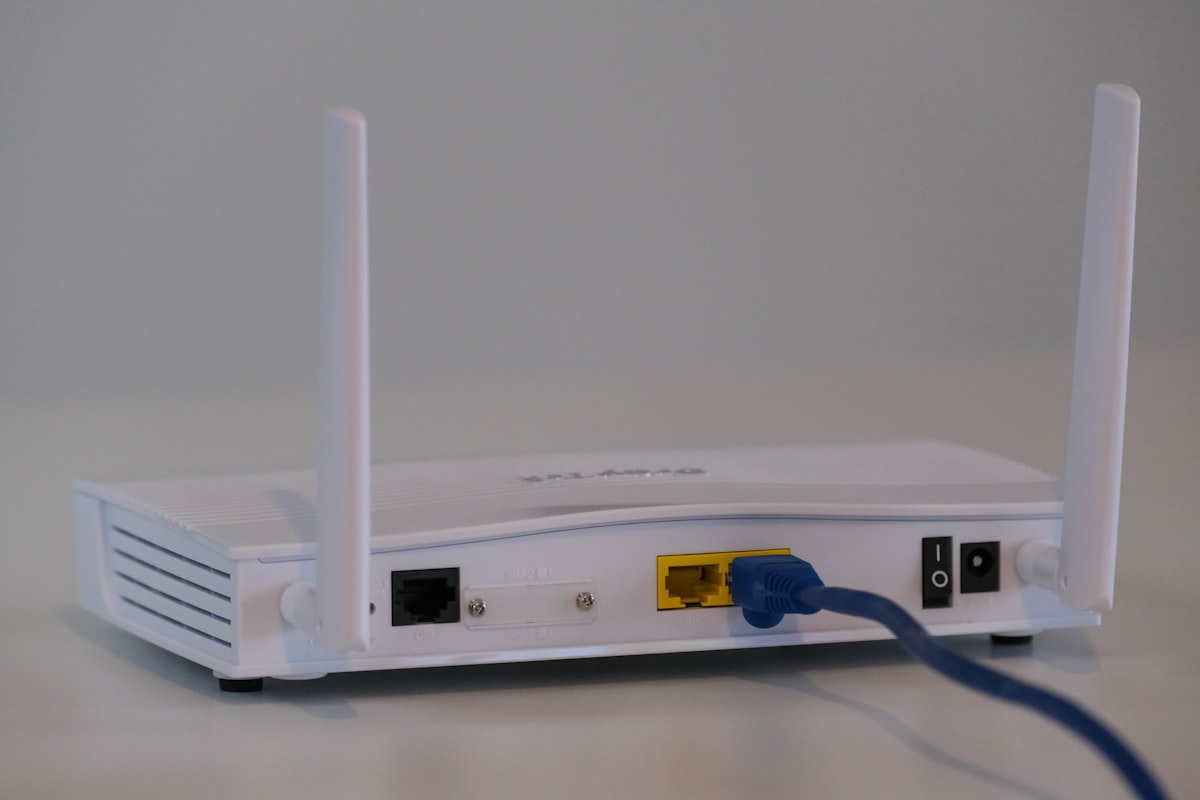
Managing VPN apps on every device during your travels is exhausting. Your laptop needs one configuration, your phone another, your tablet a third—and don't forget your Smart TV or your travel companion's devices. A travel VPN router solves this elegantly: one device, one VPN connection, every gadget protected automatically. Whether you're checking email from a Bangkok café, streaming your home country's services from a Berlin hotel, or working remotely from a Lisbon co-working space, a portable VPN router ensures every device on your network is encrypted without individual setup hassles.
What Is a Travel VPN Router?
A travel VPN router is a compact, portable networking device that creates a secure WiFi network and routes all connected devices through a VPN tunnel. Unlike your home router, these devices are designed to be lightweight and travel-friendly—small enough to slip into a laptop bag or even a jacket pocket. When you connect to the router in a hotel room, airport lounge, or any public WiFi hotspot, all your devices—laptops, phones, tablets, smart TVs, gaming consoles, and guest devices—benefit from VPN protection without requiring individual VPN apps or configurations on each device.
The typical use case is simple: you arrive at your hotel, connect the travel router to the hotel's wired or wireless internet, configure your VPN credentials once, and then every device in your room automatically connects through the encrypted VPN tunnel. It's the difference between managing six separate VPN subscriptions and having one transparent layer of protection for your entire digital life on the road.
Key Benefits of a Travel VPN Router
Travel VPN routers offer several compelling advantages over managing VPNs on individual devices:
- All devices covered automatically: Your laptop, phone, tablet, Smart TV, and even WiFi-enabled cameras or smart home devices all connect through the VPN without individual setup. Any device that can join a WiFi network is instantly protected.
- No per-device configuration: Configure your VPN once on the router and forget it. No need to install apps, manage subscriptions across multiple devices, or remember which device is connected to which server.
- Share with family and travel companions: A single router can support multiple users simultaneously. Your partner, traveling colleagues, or family members can all connect their devices without each needing separate VPN accounts or configurations.
- Works with devices that don't support VPN natively: Smart TVs, gaming consoles, some streaming devices, and older electronics often lack native VPN support. A travel router bypasses this limitation entirely by handling the VPN connection at the network level.
- Consistent security everywhere: Whether you're in Tokyo, Toronto, or Tunis, the same protected network follows you. No more trusting hotel WiFi or worrying about hostile network environments.
What to Look for in a Travel VPN Router
Not all travel VPN routers are created equal. Before purchasing, evaluate these critical factors:
| Feature | Why It Matters | Ideal Specification |
|---|---|---|
| Size & Portability | Must fit easily in travel luggage | Palm-sized, under 250g |
| Battery Life | For cordless operation | 6+ hours or pass-through charging |
| Throughput Speed | Affects all connected devices | AC1200 minimum, AC2200 preferred |
| VPN Protocol Support | Compatibility with your provider | WireGuard, OpenVPN, IKEv2 |
| Server Compatibility | Works with your VPN service | Check provider's router compatibility list |
| Price | Budget considerations | $50–$150 range |
Best Travel VPN Routers for 2026
After extensive testing across multiple travel scenarios, these five routers stand out as the best options for travelers seeking comprehensive VPN coverage:
1. GL-iNet GL-AXT1800 (Slate Plus)
The GL-AXT1800 is arguably the best travel VPN router available. It supports WireGuard and OpenVPN natively, features a compact design, and runs on OpenWrt for maximum flexibility. With dual-band WiFi (AX1800), a USB 3.0 port, and a user-friendly interface, it's equally suited for VPN beginners and advanced users. The Slate Plus earns its place as our top recommendation for consistent performance and broad VPN compatibility.
2. TP-Link TL-WR902AC
If budget is your primary concern, the TP-Link TL-WR902AC delivers solid VPN functionality at an entry-level price. It supports OpenVPN and PPTP protocols, offers AC750 WiFi speeds, and can be powered via USB. The compact travel-friendly design makes it easy to pack, though you'll sacrifice some speed compared to premium options. It's an excellent choice for light travelers who primarily need basic browsing protection.
3. ASUS RT-AX59U
ASUS delivers excellent performance with the RT-AX59U, a travel-capable router that punches above its weight class. With WiFi 6 support (AX3000), robust VPN client functionality including WireGuard, and a sleek low-profile design, this router handles demanding workloads like 4K streaming across multiple devices while maintaining encryption. It requires a power outlet but offers superior throughput for power users.
4. Invizbox 2
The Invizbox 2 is purpose-built for travelers who want plug-and-play simplicity. Pre-configured to work with many major VPN providers out of the box, it requires minimal setup. It supports OpenVPN and IKEv2, offers dual-band WiFi, and features an intuitive interface. The Invizbox 2 is particularly appealing if you want to avoid manual router configuration entirely.
5. Gl Technologies (Gl-AX1800)
Another strong entry from GL-iNet's lineup, the Gl-AX1800 (Flint) offers AX1800 WiFi 6 performance in an compact form factor. It supports WireGuard for maximum speed, runs OpenWrt for customization, and includes features like ad-blocking and guest networks. The combination of solid build quality, comprehensive VPN protocol support, and reasonable pricing makes it a reliable travel companion.
How to Set Up a Travel VPN Router
Setting up a travel VPN router is straightforward. Follow these numbered steps to get started:
- Choose a compatible router: Verify that your router supports your VPN provider's protocols and is on their compatible device list. Check our recommendations above for widely compatible options.
- Flash with DD-WRT or OpenWrt if needed: Some routers ship with limited firmware. If your router doesn't natively support your VPN protocols, you may need to flash custom firmware like DD-WRT or OpenWrt. This unlocks broader protocol support and advanced features. Proceed carefully—incorrect flashing can brick your device.
- Configure your VPN: Access your router's admin panel (typically via a web browser at 192.168.8.1 or similar), navigate to the VPN client settings, and enter your VPN provider's credentials. Upload the configuration file provided by your VPN service. Select your preferred protocol (WireGuard for speed, OpenVPN for maximum compatibility).
- Connect your devices: Once the VPN is active on the router, simply connect all your devices to the router's WiFi network. They are now protected. You can verify your IP address on any device to confirm it's routing through your VPN server.
Firmware Options: Stock vs. DD-WRT/OpenWrt
Most consumer routers ship with stock firmware designed for general use. Stock firmware is user-friendly and works out of the box, but may offer limited VPN protocol support and fewer advanced features. If your VPN provider offers a router app or native configuration, stock firmware is usually sufficient.
Custom firmware like DD-WRT and OpenWrt unlocks broader protocol support, including WireGuard on many older devices, advanced traffic management, and enhanced security features. However, flashing custom firmware voids warranties, carries a small risk of device failure, and may require technical knowledge. For most travelers, a router that supports the desired protocols natively—with stock or lightly modified firmware—is the safest and simplest choice.
Conclusion
A travel VPN router is one of the smartest investments any frequent traveler can make. By centralizing VPN protection on a single device, you eliminate the hassle of managing multiple subscriptions, ensure every device is protected—including those that can't run VPN apps—and maintain consistent security regardless of where you connect. Whether you choose the feature-rich GL-iNet Slate Plus or a budget-friendly alternative, you'll wonder how you ever traveled without one. Start protecting your entire digital ecosystem on your next trip.
Related Articles: VPN Protocols Explained 2026 | VPN for Remote Work Abroad 2026